How do I schedule a report to email automatically?
Go to Settings›Reports›Schedule, click Actions and select + Add New. Choose the report, how often it's sent, the format (PDF, CSV or Excel) and the recipients, then click Save.
Set up a schedule
-
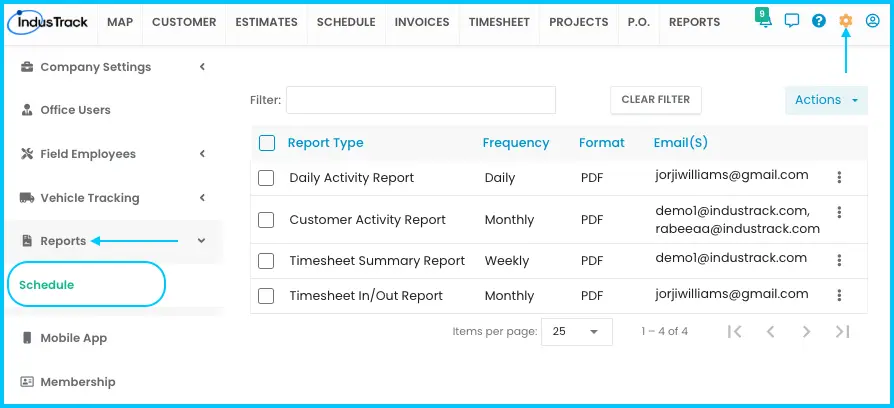
Go to Settings›Reports›Schedule.
-
Click Actions and select + Add New.
-
In the Report Scheduler window:
- Choose the Report Type.
- Select the Employees, Vehicles or Inventory Items to include, if the report asks for them. Financial reports need no extra options.
- Choose how often to send it: Daily, Weekly or Monthly. For Daily, choose whether to send on weekends.
- Choose the Format: PDF, CSV or Excel. Every report can be sent in any of them.
- Select the recipients. Recipients must have email enabled in IndusTrack.
-
Click Save. The schedule is active.
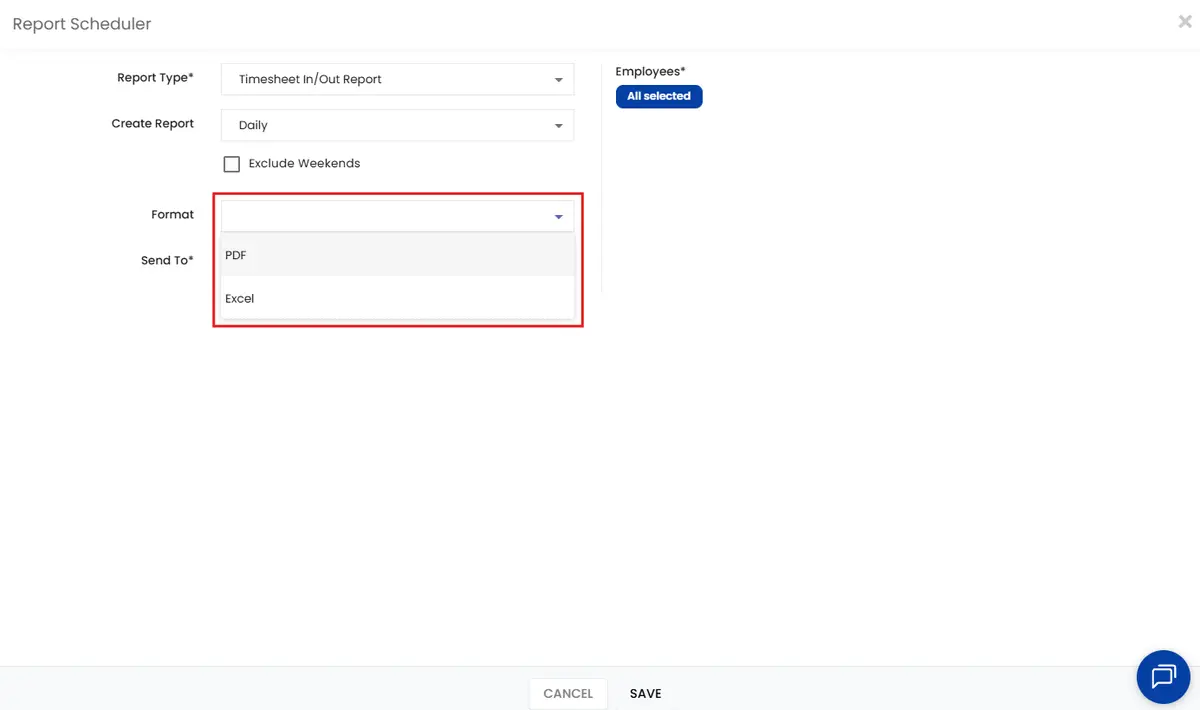
Watch: Adding a report schedule in the Report Scheduler window
Some reports also have Schedule Report in their Actions menu. It opens the same Report Scheduler.
Edit or delete a schedule
-
Go to Settings›Reports›Schedule and find the report in the list.
-
Click the 3-dot menu (⋮) next to it.
- Edit: make your changes and click Save.
- Delete: confirm by clicking Yes.
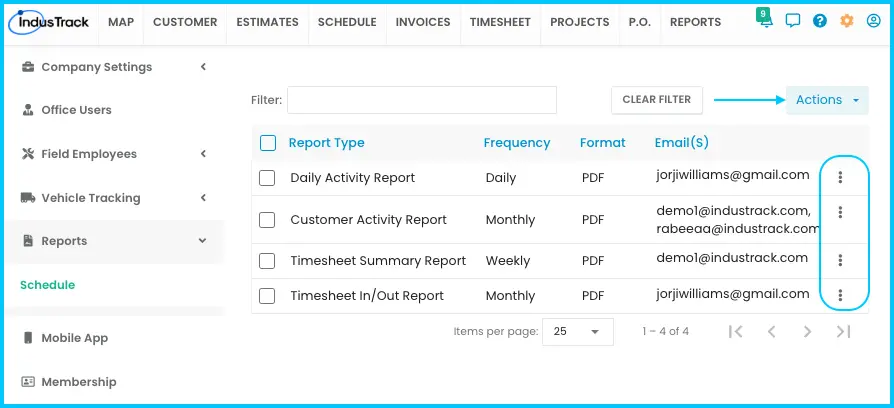
Watch: Editing and deleting a report schedule
You can also delete schedules from the Actions button.
The schedule list
| Column | Shows |
|---|---|
| Report Type | The report being sent |
| Frequency | How often it's sent |
| Format | File type |
| Email(s) | Who receives it |
| ⋮ | Edit or delete |
Common questions
Can I get a scheduled report as a spreadsheet?
Yes. Choose CSV or Excel as the format instead of PDF.
An office user isn't receiving the scheduled report. Why?
Office users only receive scheduled reports if email is integrated with their account. See How do I connect my email?
Which reports can I schedule?
- Timesheet: Timesheet In/Out Report, Timesheet Summary Report, Timesheet Detail Report, Timesheet Sage Report
- Scheduling: Job report, Item Used
- Vehicle Tracking: Customer Activity Report, Daily Activity Report, Engine Diagnostic Report, Fleet Summary Report, Fuel Efficiency Report, Idle Report, Maintenance Reminder Report, PTO Report, Safety Report Data
- Financials: Accounts Receivable
Was this article helpful?
Contact support